


Remote for Smart Samsung TV
4.21.02K Reviews
App Specs
- Version
- 1.7.4
- Updated On
- License
- Free
- Downloads
- 10,000,000+
- Developer
- BoostVision
- Categories
- House & Home
- Platform
- Android, iOS
Screenshots
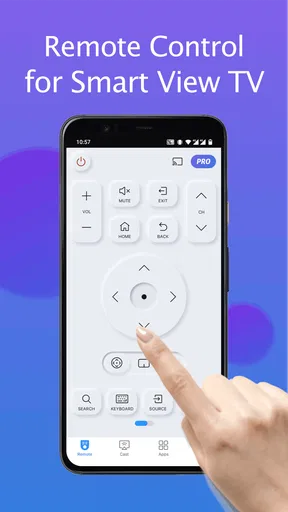
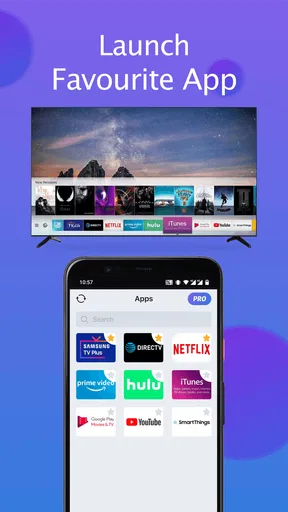
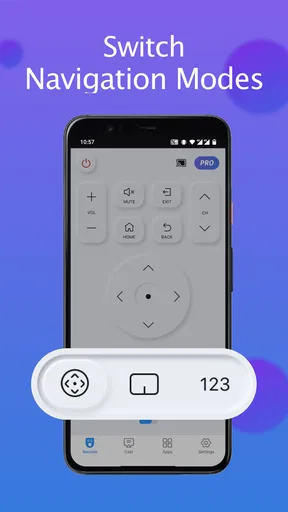
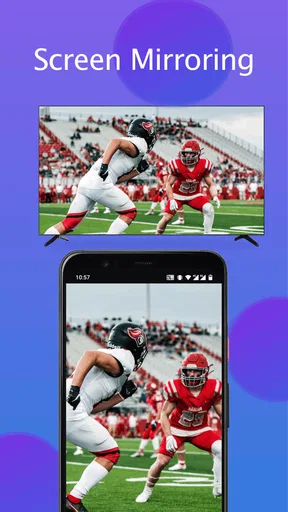
 Analysis by AppCompare
Ever found yourself frantically searching for your TV remote only to realize it’s buried deep in the couch cushions again? Well, say hello to the Remote for Smart Samsung TV app, your new best friend for controlling your TV without the endless scavenger hunts. I recently gave this app a whirl, and here's the lowdown.
Getting Started is a Breeze
First things first, setting up the app is as smooth as butter. I just downloaded it from the app store, and within minutes, it was ready to go. All you need is a Wi-Fi connection, and you're all set to pair it with your Samsung TV. The interface is super user-friendly, and even if tech isn't your forte, you'll find it easy to navigate. Trust me, if I can do it, anyone can.
Features That Stand Out
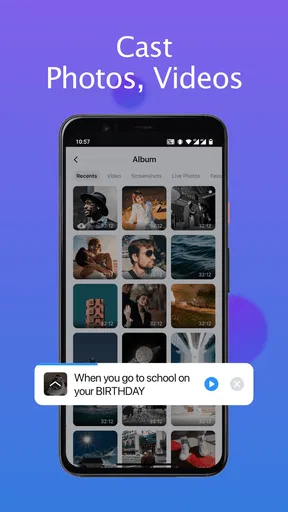
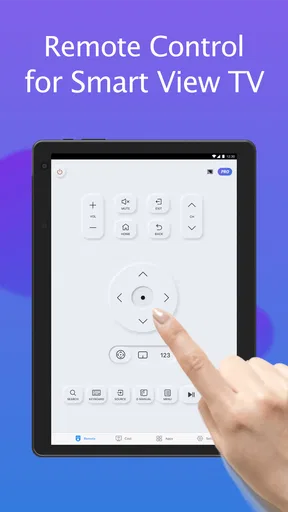
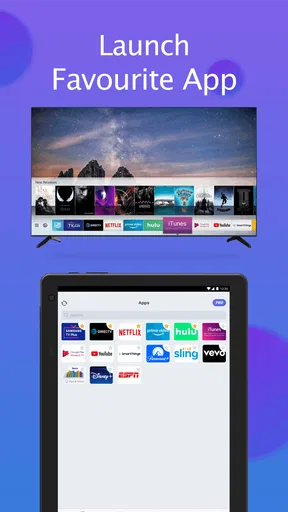
The app is packed with features that make it more than just a replacement for your remote. One of my favorites is the ability to use my phone's keyboard for searching content on the TV. Typing with a remote was always a pain, but this feature makes it a breeze. Plus, you can adjust the volume, switch channels, and even launch apps directly from your phone.
Another cool feature is the touchpad functionality. Swiping around the screen with my finger felt surprisingly natural. It’s like having a mini trackpad right on your smartphone. And if you're someone who loves voice commands, the app has got you covered. Just speak, and watch your TV obey like magic.
Smooth Performance
Performance-wise, the app didn’t disappoint. It responded quickly to every command without any noticeable lag, which is a big plus. I tried it on both Android and iOS, and it worked flawlessly on both platforms. It’s nice not having to wait ages for a command to register, especially when you’re in the middle of binge-watching your favorite series.
Room for Improvement
While the app is pretty solid, there are a couple of tweaks that could make it even better. The app occasionally loses connection if the Wi-Fi signal isn't strong, which can be a bit annoying. It would be awesome if it could maintain a more stable connection. Also, it would be nice to have a widget feature for quicker access without opening the app every time.
Overall, the Remote for Smart Samsung TV app is a nifty tool that can save you a lot of hassle. It’s like having a magic wand for your TV, and honestly, who wouldn’t want that? So if you're tired of playing hide and seek with your remote, give this app a shot. It might just change your TV-watching game for the better.
Worth Reading Before You Choose

Flipboard Shows What News Apps Must Do Beyond the Feed

Switching to Android Auto Means Rethinking Your Driving Routine

Google Calendar Makes a Crowded Week Easier to Manage

Ludo King Makes the Most of the Minutes Between Plans

Baby Panda World Brings Quick Play to Modern Phones, but Its Game Library Feels Busy

ESPN’s Live Game View Makes Following Close Games Easier
Pros
- Easy setup with intuitive interface.
- Wide range of compatible Samsung models.
- Responsive touchpad for smooth navigation.
- Customizable buttons for quick access.
- Supports voice commands for convenience.
Cons
- Limited features in free version.
- Occasional connectivity issues.
- Ads can be intrusive at times.
- Requires Wi-Fi connection to function.
- Not compatible with older TV models.
FAQs for Remote for Smart Samsung TV
How do I connect the Remote for Smart Samsung TV app to my TV?
To connect the app to your Samsung TV, ensure both your smartphone and TV are connected to the same Wi-Fi network. Open the app, and it will automatically scan for compatible TVs nearby. Select your TV from the list, and follow any on-screen instructions to complete the pairing process.
Is the Remote for Smart Samsung TV app compatible with all Samsung TV models?
The app is designed to work with most Samsung Smart TV models, particularly those released after 2012. However, compatibility may vary based on specific model features and software versions. It's recommended to check the app description or developer website for a detailed compatibility list before downloading.
What features does the Remote for Smart Samsung TV app offer?
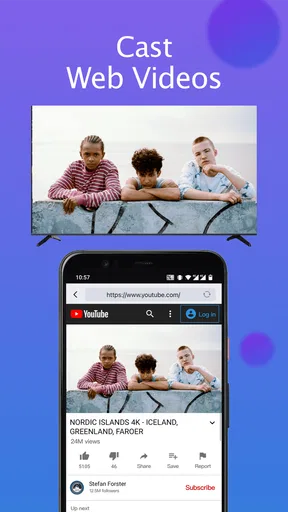
The app offers a range of features, including basic remote functions like volume and channel control, as well as advanced features like voice commands, keyboard input for searches, and quick access to favorite apps. Some versions may also offer screen mirroring and content sharing capabilities.
Are there any in-app purchases or subscriptions required for full access?
While the Remote for Smart Samsung TV app provides basic remote functions for free, some advanced features may require in-app purchases or a subscription. These typically include ad-free experiences, additional customization options, and premium support. Check the app store listing for details on pricing and features.
What should I do if the app fails to connect to my TV?
If the app fails to connect, first ensure that both devices are on the same Wi-Fi network. Restart your router, TV, and smartphone. Check for updates to the app and your TV's firmware. If issues persist, consult the app's help section or contact customer support for troubleshooting assistance.


